Junglebee
How to become a Viator supplier: what I would prepare
What I would have ready before opening the Viator supplier portal: one trip, a clear meeting point, net vs retail, cut-offs, held seats, a weather plan.
 Michael RouveureFounder, Junglebee ·
What should you actually have ready before you open the Viator supplier portal and click sign up? Not just an email address. Viator says you confirm your email to access the Supplier Management Center, then complete account or ID verification before submitting an experience. There is also a per-experience submission fee and a review step. I mean the trip details you will need to put in writing as you build the listing.
It is tempting to sign up first and figure out the trip later. I would do it the other way around. Spend an evening with a notebook before you spend an evening in the product builder.
Why I think about this from the agent's side
When I started SXM Deals in 2012, I was the reseller. I signed up to a booking system and loaded every St. Martin tour company that agreed to work with me onto it myself, because most of them had no booking system at all.
Those operators did not each have software feeding my site. I had loaded the companies that agreed to work with me into the system I used for SXM Deals. Later, when bookings came in, I still had to ask operators to confirm them. That taught me how important clear, current trip details are to a reseller.
Viator is a much bigger marketplace, but the need for clear trip information is familiar. It is a Tripadvisor company. After you confirm your email, you can access its Supplier Management Center, where a product builder guides you through a listing. Viator also says its Launch Assist team reviews submissions and offers guidance. That is useful help, but you still need accurate answers about your own trip.
Start with one trip, not your whole menu
Pick the trip you run best and most often. The snorkel run that goes out every day, not the private sunset charter you do twice a month. Get that one listed, running, and reviewed before you add anything else.
For that trip, I would have this written before I logged in:
- A plain description. What happens, in order, from arrival to return. Where the boat goes, how long you stay, who it suits and who it does not.
- What is included and what is not. Drinks, snorkel gear, marine park fees, lunch. Guests argue about the things you left vague.
- The meeting point. Not "Simpson Bay." The dock, the landmark, the pin, and what the guest should look for when they arrive.
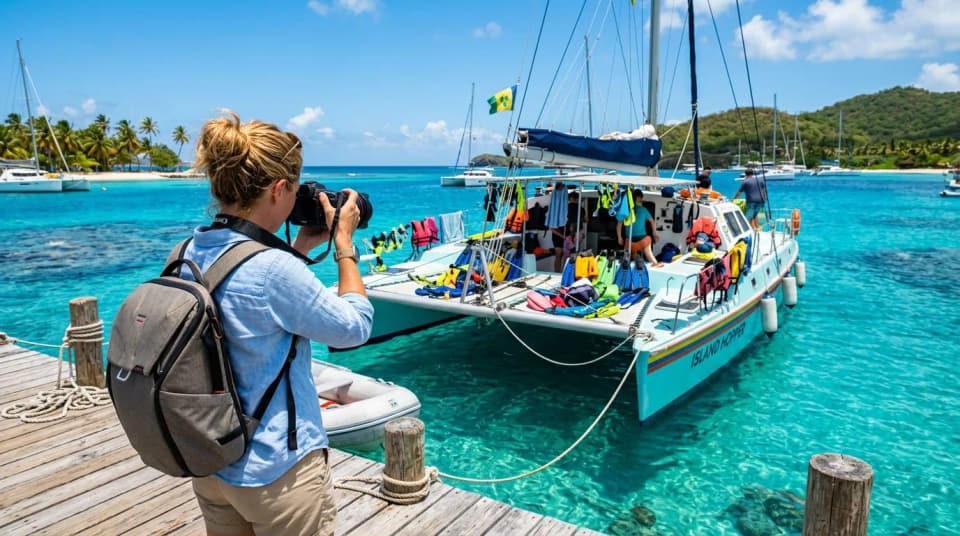
- Real photos. Your boat, your crew, your stops. Horizontal and vertical, bright and sharp. A borrowed reef photo sets a promise you then have to keep.
The meeting point is the one I would spend the most time on. On a cruise ship day, a guest with a bad pin is a guest who misses the boat, and then it is your review.
Price it before the portal asks you to
I am not going to run the commission math here. We covered that elsewhere. What I would do is decide how you think about price before you type a number in.
Know your net: the amount you need to receive per guest for the trip to make sense. Know the retail price a guest should see, and make sure it lines up with what you charge on your own website and at the hotel desks. If the same trip shows three different prices in three places, somebody notices. Usually it is the guest standing next to another guest on your boat.
Decide on your pricing structure too. Per person or per boat, child rates, a minimum to run. Check the current supplier docs for how Viator wants each of these set up, because the options have changed over the years and I would not trust my memory on the details.
Availability, cut-off times, and the seats you keep back
This is where most of the pain comes from later, so decide it on paper first.
- Departure times. The real ones, including the days you do not run.
- Cut-off time. How late can a booking come in and still get fuel, crew, and lunch sorted? Be honest. If you need the night before, say the night before.
- Capacity you hold back. You do not have to hand every seat to an OTA. I would keep some back for your direct guests and your hotel and agent partners, at least until you see how the listing performs.
- Cancellation policy. Check Viator's current policy options and how refunds are handled before choosing a setting. Make sure guests understand the terms that apply to the channel they booked through.

Connect your calendar or wait
Viator says you can manage availability in its Supplier Management Center or connect a supported reservation system to sync bookings and availability. Check whether your system and the specific product are supported before you commit; not every integration syncs every field.
My opinion, and I will be honest, some operators will not like it: if you plan to manage Viator availability by hand while also selling direct, through hotel desks, and on the phone, I would wait. Four calendars updated by hand raise the risk of selling the same seat twice on the busiest day of the season. And a guest you have to bump is unlikely to care which calendar went wrong.
Get one reliable availability process first. That is why we built Junglebee around one availability for every channel, with Viator and GetYourGuide connections coming soon. Whatever booking system you use, check its actual Viator connectivity and keep availability accurate before you add a marketplace on top.
First reviews and your first weather day
Reviews can influence how guests choose an experience, so I would pay attention from the first booking. Treat those first Viator guests like guests of honor. Say their names at boarding, make sure the crew knows who came from where, and fix anything small before they leave the boat.
Then plan your weather day before it happens. Christmas Winds and hurricane season can disrupt a departure. Decide in advance how you will contact marketplace guests and offer an alternative date if one is possible. Check Viator's cancellation workflow and applicable refund terms rather than promising a refund on your own. A guest may be leaving the island soon, so communicate through the booking channel early and clearly.
So if you only do one thing before signing up, write your meeting point, your cut-off, and your weather-day plan on one page. If you cannot fill that page, the portal will not fill it for you.
Booking page, card payments, one calendar for your website, booking page and desk. 4% per card payment, no monthly fee.