First thing to check:can Junglebee take card payments in your country?

Everything Junglebee does, in one place.

59 features, in the order a booking happens: from the guest finding you to the money in your account. Filter by what you run, or search.

59 features

Sell

Get found and get booked: your booking page, your website and the resellers you choose, all from one calendar.

Your own booking page

A page at book.junglebee.com/your-company with every product, search and activity filters. Share it anywhere, no website needed.

Guest sideSee it

Booking button for your website

One line of code and a button. The booking page opens on top of your site. Works on WordPress, Squarespace, Webflow, Weebly, Duda or any HTML site.

Guest sideSee it

Button themes

Coral, Hive, Lagoon, Midnight, Minimal, Ocean, Outline, Sand, Sunset or your own colours, plus a page to send guests to after they book.

Set-upSee it

GetYourGuide

Sell on GetYourGuide from your Junglebee availability. A seat sold there closes everywhere, with the GetYourGuide reference on the booking.

ChannelSee it

Viator and Tripadvisor

List on Viator and Tripadvisor from the same calendar. Bookings land on your desk like any other.

ChannelSee it

More resellers

Tiqets, Klook, Headout, Musement, Civitatis, Booking.com Attractions and other other resellers, all from one availability.

ChannelSee it

Promo codes

Codes for a percentage or amount off, for a season, a hotel partner or a returning guest.

Set-upSee it

Paused page

Off season or a weather week: show a clear “not taking bookings” page instead of an empty calendar.

Guest sideSee it

Book

The guest’s path from your page to a confirmed seat, built for a phone on a beach.

Product page

Photos, about, what’s included and not, what to bring, the meeting point with map and directions, pickup, good to know and cancellation policy.

Guest sideSee it

Only bookable dates

The calendar shows days and departures that can still be sold, with seats left. Sold-out and cut-off times are hidden.

Guest sideSee it

Guest types and prices

Adult, child, driver, passenger, diver, snorkeler: each with its own price and age range.

Set-upSee it

Add-ons at checkout

Lunch, gear, photos, transfers. Per person, by quantity or once per booking; optional or mandatory.

Guest sideSee it

Hotel pickup

Pickup areas priced per guest or per booking, with pickup times worked out from the departure.

Guest sideSee it

Questions before payment

From your question bank: dietary needs, certification level, licence, occasion. Per guest or per booking, required or optional.

Set-upSee it

Checkout that skips what you don’t use

Add-ons, pickup, questions, details, important info, payment. Steps a product doesn’t use never appear.

Guest sideSee it

15-minute seat hold

Seats are held while the guest pays, so two people can’t buy the last seat.

AutomaticSee it

Capacity

Rules that stop overbooking before it happens, checked the moment anyone books.

Seats that follow the boats

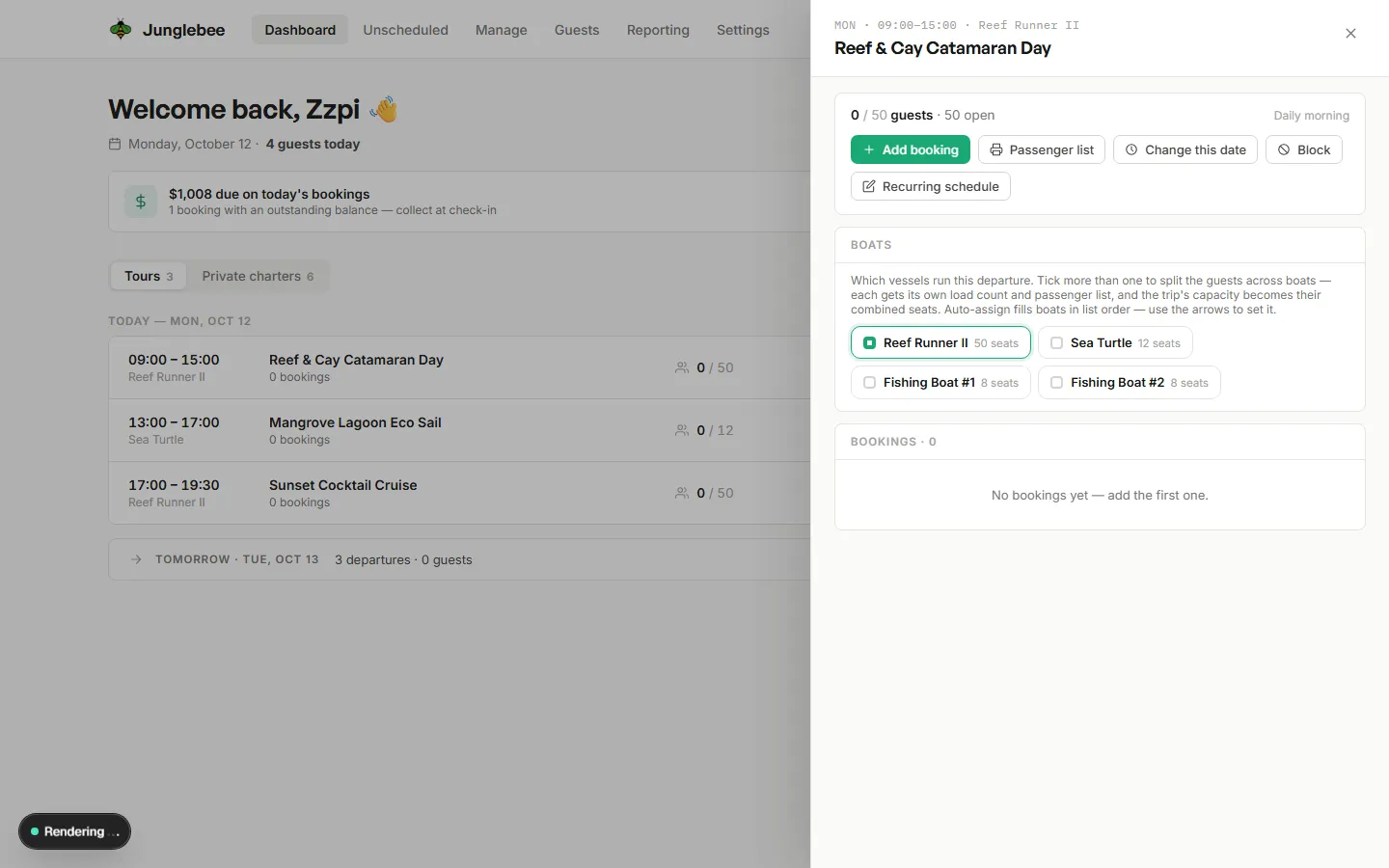
A departure sells the seats of the boats running it, filled in the order you set.

AutomaticSee it

A party is never split

One booking stays on one boat. A bigger group is offered as two bookings at the desk.

AutomaticSee it

A boat is in one place at a time

When a boat is out on a charter or another trip, its seats disappear from every product for that time.

AutomaticSee it

Whole-boat charters

A private charter takes the whole boat for its time; the next party gets the next boat or slot.

AutomaticSee it

Rentals on a 15-minute grid

Units and packages, any start time inside your opening hours. Change the time or unit from the desk.

AutomaticSee it

Booking cut-offs

Stop online sales a set time before each departure, per product.

Set-upSee it

One availability for every channel

Your website, booking page, desk and resellers all draw from the same seats.

AutomaticSee it

Run the day

The desk your team works from, on a laptop at the office or a phone at the dock.

Today at a glance

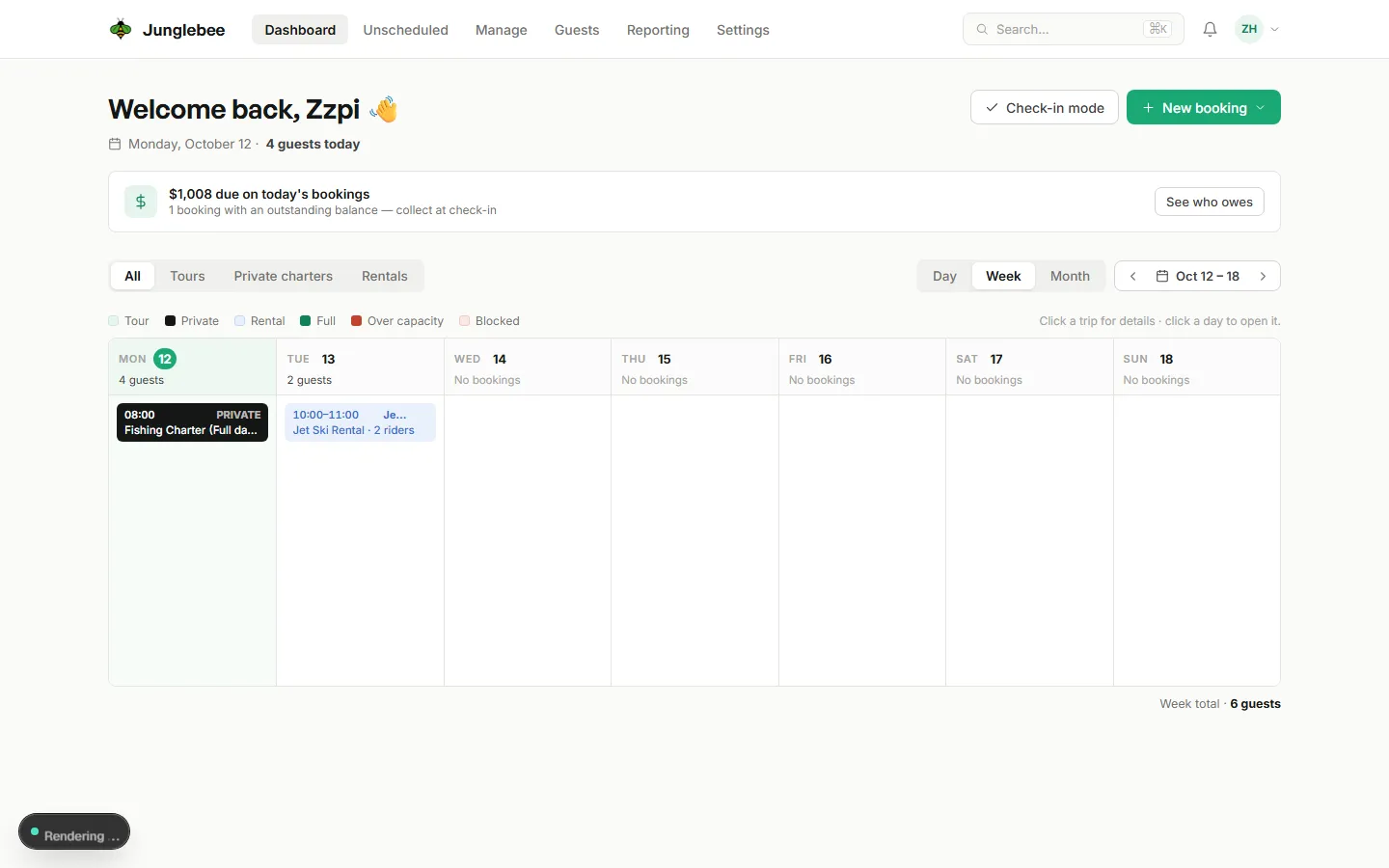
Every departure with its boat, captain, count and what’s still owed. Cards for money due, refunds to confirm and bookings that need a new spot.

Your deskSee it

Day, Week and Month calendar

Booked trips only, tours and private trips together. Full, over capacity and blocked days written out. Click a trip for details, a day to open it.

Your deskSee it

Desk booking form

Walk-ins and phone bookings driven by the product’s set-up. Shows seats open and the per-booking limit, and offers to split a bigger group.

Your deskSee it

Check-in mode

Passenger list per boat on your phone. Check in, mark no-shows, see who owes before they step aboard.

Your deskSee it

Move, change, cancel

Move to another date or tour, change guests, add notes, pick a boat or auto-assign, cancel with the refund shown first.

Your deskSee it

Unscheduled bookings

When a departure is removed, its bookings wait on one list with the fix next to each.

Your deskSee it

Bookings without a boat

Flagged on the dashboard with a one-click fix.

Your deskSee it

Search everything

Find a guest, booking number or product from anywhere with ⌘K.

Your deskSee it

Guests

Everything the guest needs before and after the trip, sent for you.

Confirmation and ticket

Booking number, time, meeting point with map and directions, what to bring and your personal note.

AutomaticSee it

Reminders

At the lead time you set per product, with check-in details.

AutomaticSee it

Review requests

A thank-you after the trip with a link to leave a review.

AutomaticSee it

Updates and cancellations

Guests are told when a booking changes or is cancelled, with the new ticket or the refund.

AutomaticSee it

Guest portal

No password. Guests re-send their ticket, pay a balance, update details, change the date inside your free-change window or cancel with the refund shown.

Guest sideSee it

Guest list

Every guest with their booking history and saved cards. Merge duplicates in a click.

Your deskSee it

Set up

Your products, boats, team and rules, configured once.

Products

Tours, private charters and rentals. Categories, key facts, photos, departure point, directions, cut-off, included and not, what to bring.

Set-upSee it

Schedules

Departure times per day of the week and season, with one-off changes and blocked days.

Set-upSee it

Boats and units

Your resources with their capacity and fill order. Products use them; capacity follows them.

Set-upSee it

Add-on library

Build add-ons once and attach them to any product.

Set-upSee it

Question bank

Text, number, yes/no, dropdown, checkboxes, date and consent questions, reused across products.

Set-upSee it

Team and roles

Owner, Manager, Desk, Captain / Crew and Accountant, each seeing only what they need. Unlimited users.

Set-upSee it

Self-serve sign-up

Company, currency and how you get paid in about five minutes. No card needed.

Set-upSee it

Know your numbers

Reports that match your bank, exportable for your accountant.

Overview

Bookings, guests and revenue for any period.

ReportsSee it

Daily intake

What came in today, by payment method, for closing the till.

ReportsSee it

By product and by website

Which products sell and which pages they sell from.

ReportsSee it

Payouts

Every JB Pay wire with each booking, fee and refund in it, exact to the cent.

ReportsSee it

Audit trail

Who changed what and when, on every booking.

ReportsSee it

Excel and CSV export

Every report and list exports. Your data stays yours.

ReportsSee it

All of it, from $0 a month.

No monthly fee, no set-up fee, no contract. 4% per card payment plus card processing; nothing on cash.