

April 14, 2026
Back when I was running SXM Deals, I had a group of four trying to lock in a big charter out of Simpson Bay. I sent the request to the operator and waited for a confirmation so I could collect their payment.
Two days. Not two minutes. Two days.
The guests had moved on. I lost the commission. The operator lost the full charter fee. And the whole thing came down to no automated confirmation - just me waiting on an email that never came fast enough.
That story is the origin of this whole company. But there is a second lesson in it I did not appreciate until years later: if the operator side of that exchange was a mess, the guest side was probably worse. A guest who never got a clean confirmation, who had no reminder the trip was tomorrow? That guest is your no-show waiting to happen.
Most no-shows are not guests being rude. They booked something online two weeks ago, the confirmation email landed in Promotions, they meant to add it to their calendar and never did. The day before the trip they are on a different beach, vaguely remembering they maybe had something tomorrow.
That is your guest. Not a bad person. Just a person who did not have enough information anchored in enough places.
A reminder system does three things:
That last one matters more than operators realize. An empty seat you knew about 24 hours out you can fill. An empty seat you discovered at the dock? That is just a loss.
I have heard operators say they do not want to "bother" guests with too many messages. I get it. But flip the question: would you rather send one extra reminder or run another half-empty tour?
The baseline is three touchpoints:
You do not need more than that. Three messages across three channels at three very specific moments in the booking window. What kills operators is either doing all three by hand - so it only happens when they remember - or not doing them at all because it "seems like too much to set up."
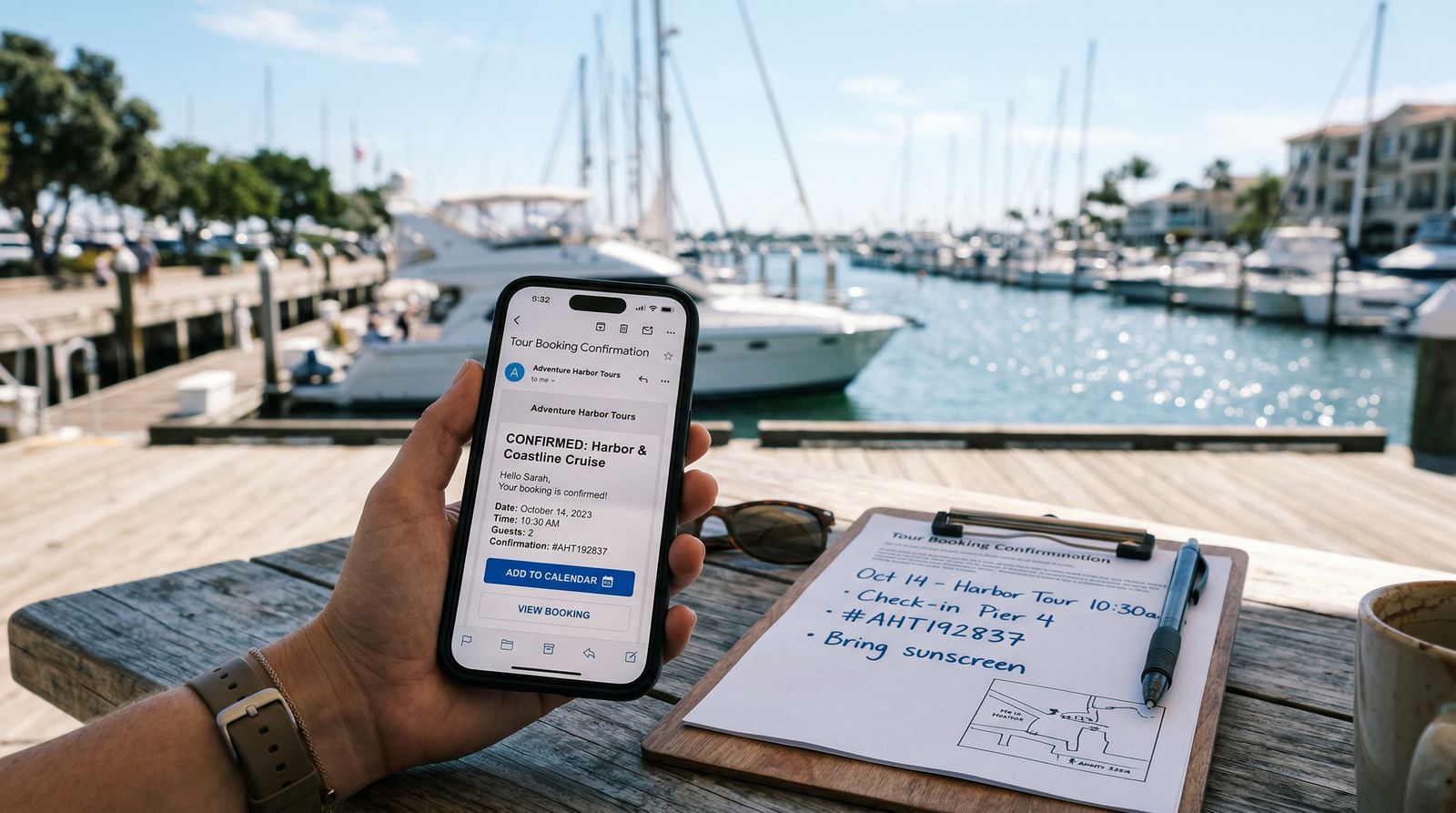
The confirmation is not a receipt. It is a boarding pass. The guest reads the first two lines and answers: "What do I do next?"
If your booking software automates this, you answer the "wait, where do we meet?" call in 10 seconds instead of hunting through emails. (Junglebee handles this for charter operators)
Most dock panic - late arrivals, guests at the wrong marina, "I thought you said 9am" - traces back to a missing 24-hour reminder. This email does not have to be long. It has to be complete.
One thing that matters more than operators think: write the time zone in words. "10:00 AM Atlantic Standard Time (St. Maarten local time)" is not over-explaining. It prevents the most common last-minute scramble on cruise ship days, when guests have been bouncing between ship time and island time all morning.
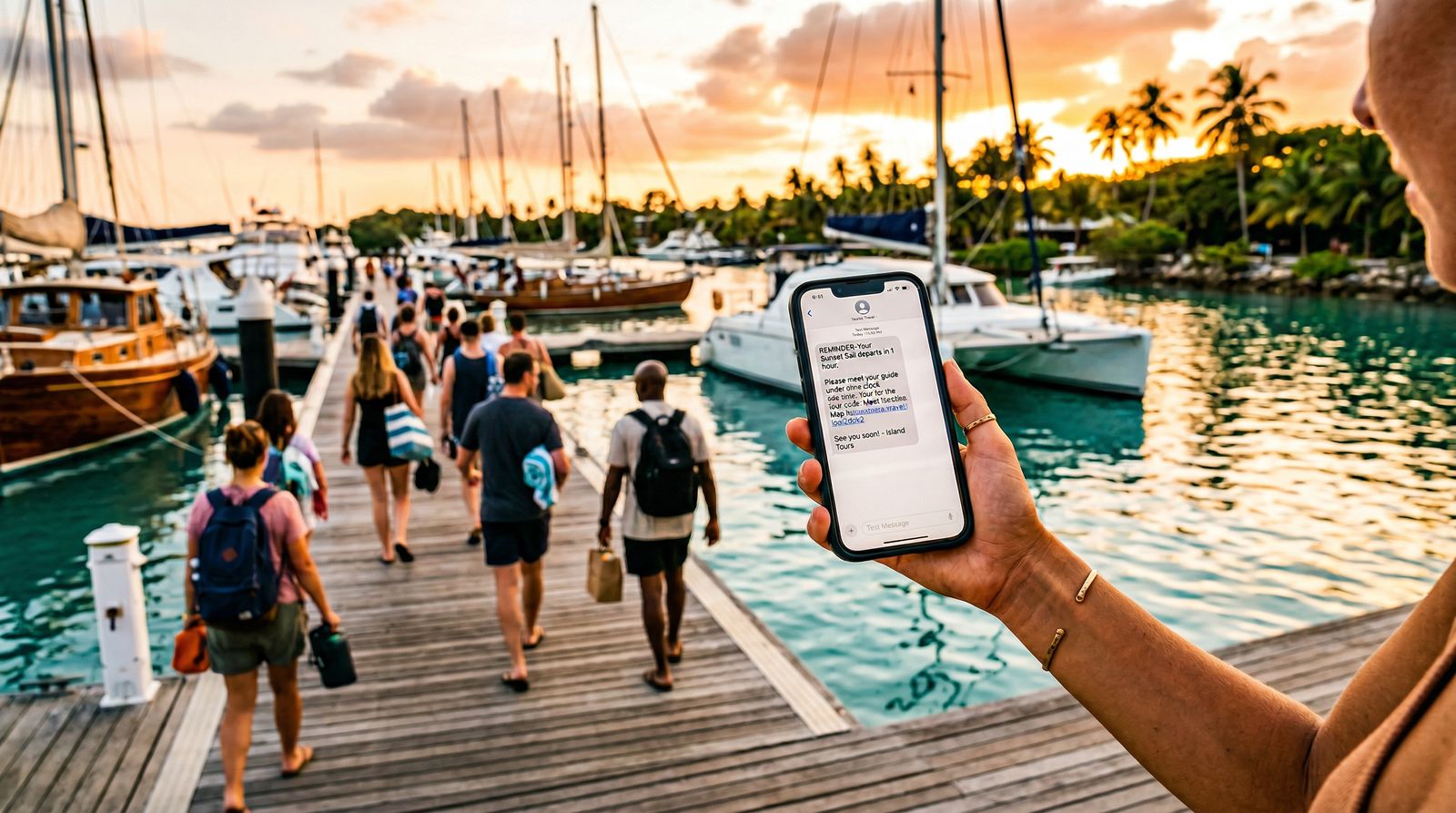
Email is for information. SMS is for action. Two hours out, your guest doesn't want a paragraph - they want one line confirming they're still good and where to go.
A randomized study in healthcare found an additional text reminder reduced no-shows by about 7% (relative risk 0.93). The same pull applies to tours: a nudge close to start time catches the person who saw the 24-hour email and then got distracted.
Template you can use:
Keep it under 240 characters plus the link. One job: confirm time, give location, ask for a reply. That reply tells you who is actually coming and who you might need to chase before departure. WhatsApp works identically in markets where that is the default - same structure, same brevity.
The problem with reminder systems is not that operators don't know this. Most operators know they should send a 24-hour reminder. The problem is that doing it manually - copy the guest name, find the details, paste into a text message - works fine when you have four bookings a week. It breaks down fast when you have four bookings a day.
The system has to be automatic or it won't be consistent. When I was running SXM Deals, the operators who confirmed fast had a system. The ones who took two days were doing it by hand - which meant they did it when they remembered, and sometimes they didn't. The reminder cadence is the same problem on your guest side. Build the templates once, automate all three triggers off the booking, and your no-show rate drops without you thinking about it again.
Two minutes. Not two days. That standard applies to your guests just as much as it applied to me back in 2012.


