Junglebee
Charter management software: how I would compare it
Booking software takes the deposit. Management software keeps the promise. Here is how I would compare charter management tools as an operator.
 Michael RouveureFounder, Junglebee ·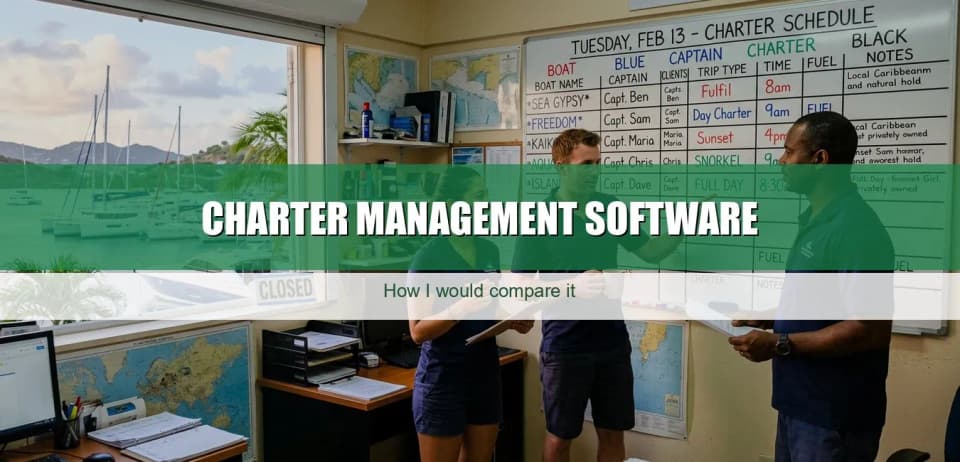
One Saturday at Eagle Tours, the wrong captain showed up to the wrong boat.
I was younger then, still crewing. Three trips were leaving that morning. A private charter to Anguilla, a cat run to Pinel, and a snorkel trip for a cruise group out of Philipsburg. Three boats, three captains, three start times, one whiteboard with everyone's name on it. Somebody erased a line to fix a guest count. Then a captain read the board, walked down the dock, and started prepping the wrong boat.
We caught it. Barely. A first mate noticed the cooler load was wrong and we untangled it before anyone cast off. But for ten minutes, the operation was one wrong assumption away from sending a charter captain to the wrong dock while a cruise group stood waiting in the sun.
That morning is the difference between booking software and management software. Booking software would have happily taken all three deposits. None of it would have known the captains were about to collide.
Charter management is not charter booking
Booking is the front door. A guest picks a date, pays a deposit, gets a confirmation. A lot of booking tools do that part fine now. At the simple end, it is a calendar with a card button, and that is genuinely useful.
Management is everything that has to be true for that booking to run. Which boat. Which captain. Which crew. What kind of trip. Whether the boat is even in the water that week or up on the hard for a service. Booking is the promise. Management keeps it.
The gap shows up when you get busy. One boat with one captain, you run on a calendar and a good memory. Add a second boat, a relief captain, and a third trip type on a Saturday, and you need a system that holds all of it at once. Some "management" software I have looked at feels like accounting with a calendar bolted on. It can tell you what you billed, but it may not warn you that two captains are about to want the same boat.
The eight things the software should actually track
Strip away the feature lists and a charter operation runs on eight moving parts. Watch whether the software treats them as connected, or as separate boxes you fill in.
- The boat. Each hull is its own inventory. Book without thinking about which boat and you will sell the same boat twice.
- The captain. A captain is a resource too. One person cannot be on two boats at 2pm, and the software should refuse that like a double-booked seat.
- The crew. A cat run needs a deckhand and a mate. If the rotation lives in someone's head, you find the gap at the dock.
- The trip type. A charter, a snorkel run, and a sunset sail are not the same product. Different durations, crew, and pricing.
- The customer. Who booked, how to reach them, whether they have been out before. A returning guest re-typing their details is friction you chose to keep.
- The deposit. Charters hold on a deposit. Take it the moment a guest commits, not after someone chases a card.
- The balance. The rest is due later, sometimes the morning of. If collecting it means a card machine on the dock, that is a job the software left you.
- Maintenance. The one everybody forgets. A boat up for a haul-out is not available, and the software should know that before it books a trip on it.
The point is not that software needs all eight. It is that the ones handling three or four are quietly handing the other four back to you.

The honest comparison framework
Forget the feature grid. I would run any system through four real situations.
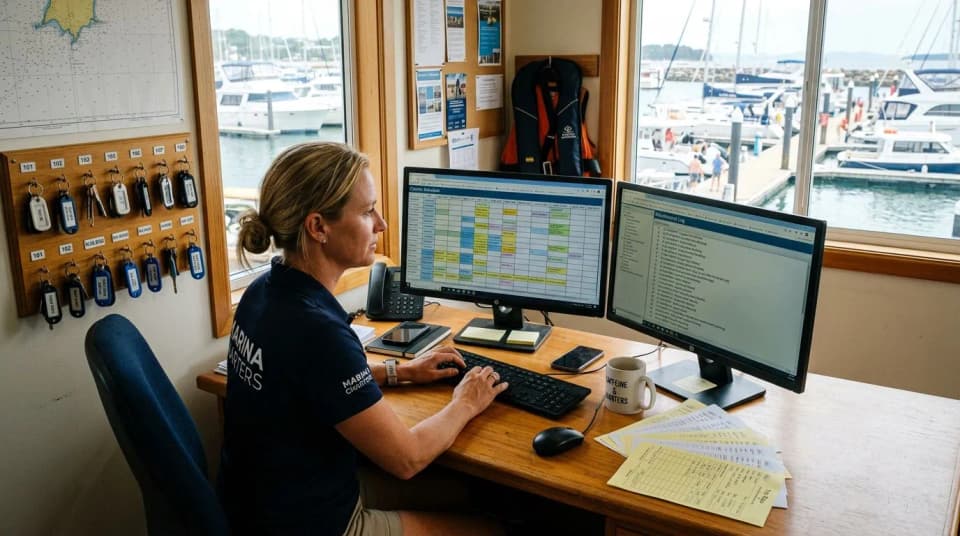
The multi-boat Saturday. Three boats, three captains, three trip types, same morning. Can the system show you on one screen who is on which boat and whether anyone is double-assigned? Or do you hold it in your head, the way we held it on that whiteboard?
The weather reshuffle. Christmas Winds are up and a front is rolling through. You move two charters to another day. Do the deposits follow, do the captain and crew assignments move with them, or does it come apart into manual fixes?
The captain swap mid-week. A captain calls in sick Wednesday. Can you reassign his Thursday trips and have everyone, guests included, looking at the right information? Or is the swap something only you know about?
The month-end export. Can you pull a clean record of every trip, deposit, balance, and refund in a form your bookkeeper can use? If the export is a mess, you bought yourself a second job.
In my experience, a system that handles all four is hard to find. Many do one or two well. The test tells you which gaps you may be accepting before you sign anything.
Where all-in-one software can fall apart
The phrase "all-in-one" can hide the fact that one part was built first and the rest came later. Find the seam.
If the company started in booking, the calendar may be beautiful while the operations layer is thinner. It may take deposits all day but still struggle with captain assignments. If it started in accounting, the books may be clean while day-of coordination gets less attention. Ask whether it knows who is standing on which dock, not only what you billed.
Neither is wrong, exactly. The marketing just flattens the difference, and you do not find the seam until a busy Saturday pulls it open. To be fair, plenty of operators run fine on booking-first software because they never grow past two boats. The pain often shows up when you add trip types and crew on the same day, a moment many demos glide past.
Sometimes this is where the money leaves the island, and it genuinely bothers me. I have watched serious Caribbean operators take card payments through software that pushed payouts to a bank in another country, then wire the money home, often because the software came with one payment rail in the box. We built JB Pay so an operator on Junglebee can take card payments and receive payouts to their bank account without building the workflow around a foreign merchant account. Your management software should not be deciding which continent your deposit visits first.
The demo checklist I would use this week
If I were sitting with a salesperson this week, I would not ask "what can it do." I would hand them my Saturday and watch them build it. Ask these, and watch whether they show you or talk around it.
- Build three trips on one Saturday. "Put a charter, a snorkel run, and a sunset sail on three boats. Show me the captains are not double-booked."
- Break it on purpose. "Assign the same captain to two boats at the same time. Does the system stop me?"
- Run the weather day. "Move both morning charters to Sunday. Did the deposits and the crew move with them?"
- Swap a captain. "Reassign Thursday's trips to a different captain. Who gets told, and how?"
- Pull the month. "Export every trip, deposit, and balance for last month. Open it in front of me."
- Ask the island question. "Where does my deposit land, in what currency, and which bank?" The answer helps you see whether they understand your local banking reality.
If they do all six in front of you, you are looking at something closer to management software. If they do the first one and want to "follow up" on the rest, treat the bigger name with caution.
The whiteboard is the real competitor
That morning, what almost sent a captain to the wrong boat was not a bad captain. It was a whiteboard that one erased line could break. Most operations I have seen have a version of that whiteboard, whether it is a wall, a spreadsheet, or a chain of texts.
The job of management software is to be the thing that does not break when someone erases a line. The boat, the captain, the crew, the deposit, all in one place that survives a busy Saturday. Compare on that. The pretty calendar is the easy part. The morning three boats leave at once is the part that tells you what you actually bought.
Booking page, card payments, one calendar for your website, booking page and desk. 4% per card payment, no monthly fee.